
Most public intake still ends in an inbox. An agency posts a PDF, someone emails it back half-completed, and a staff member opens it alongside three other systems to retype what the resident already typed. The form tools that replaced the PDF often just moved the problem: responses land in a spreadsheet or a notification email, and the actual work still starts with a human copying data into the system of record.
Today we're launching AIRLIFT Forms, a separately licensed capability of AIRLIFT Connect. It lets you visually build and brand a public web form, publish it as a link or embed it on your existing website, and send every accepted response, along with its supporting documents, directly into the Connect pipelines your team already operates.
The distinction matters. Forms isn't a form builder that happens to sit near a workflow engine. It's the front door to one. A submission doesn't become a notification; it becomes an import you can follow through transformation and delivery.
Make Complex Intake Clear to Complete
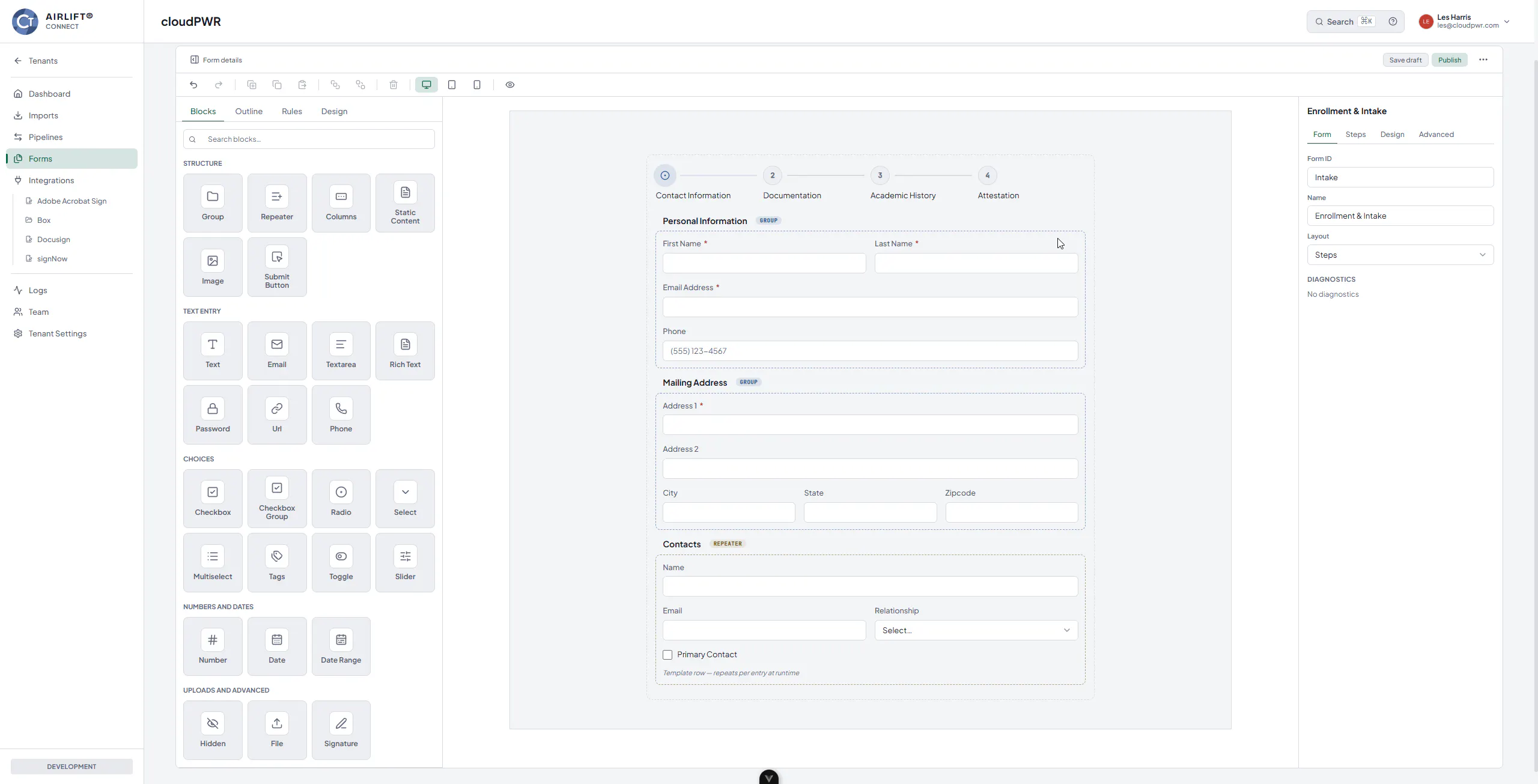
Government intake is rarely three fields and a submit button. An enrollment application has stages. A benefits request needs different questions depending on earlier answers. A household form has to collect an unknown number of contacts without forcing someone to email an attachment.
The builder handles that structure directly. Arrange fields in columns, break a long application into steps or tabs, and use repeatable groups for information that occurs an unpredictable number of times, like the contacts section in the form above. Visual rules change a field's visibility, required state, value, or available choices based on what the respondent has already answered, so people only see the questions that apply to them.
Authoring is organized into Blocks, Outline, Rules, and Design. You get reordering, duplication, copy and paste, and local undo and redo while you shape the form. Preview runs the actual public renderer across desktop, tablet, and phone, so you can exercise your rules and validation against the real experience before anyone sees it, rather than discovering a broken conditional after launch.
A form that collects the right information is only half the job. The other half is whether that information arrives somewhere useful without a person in the middle retyping it.
Brand Once, Refine Per Form
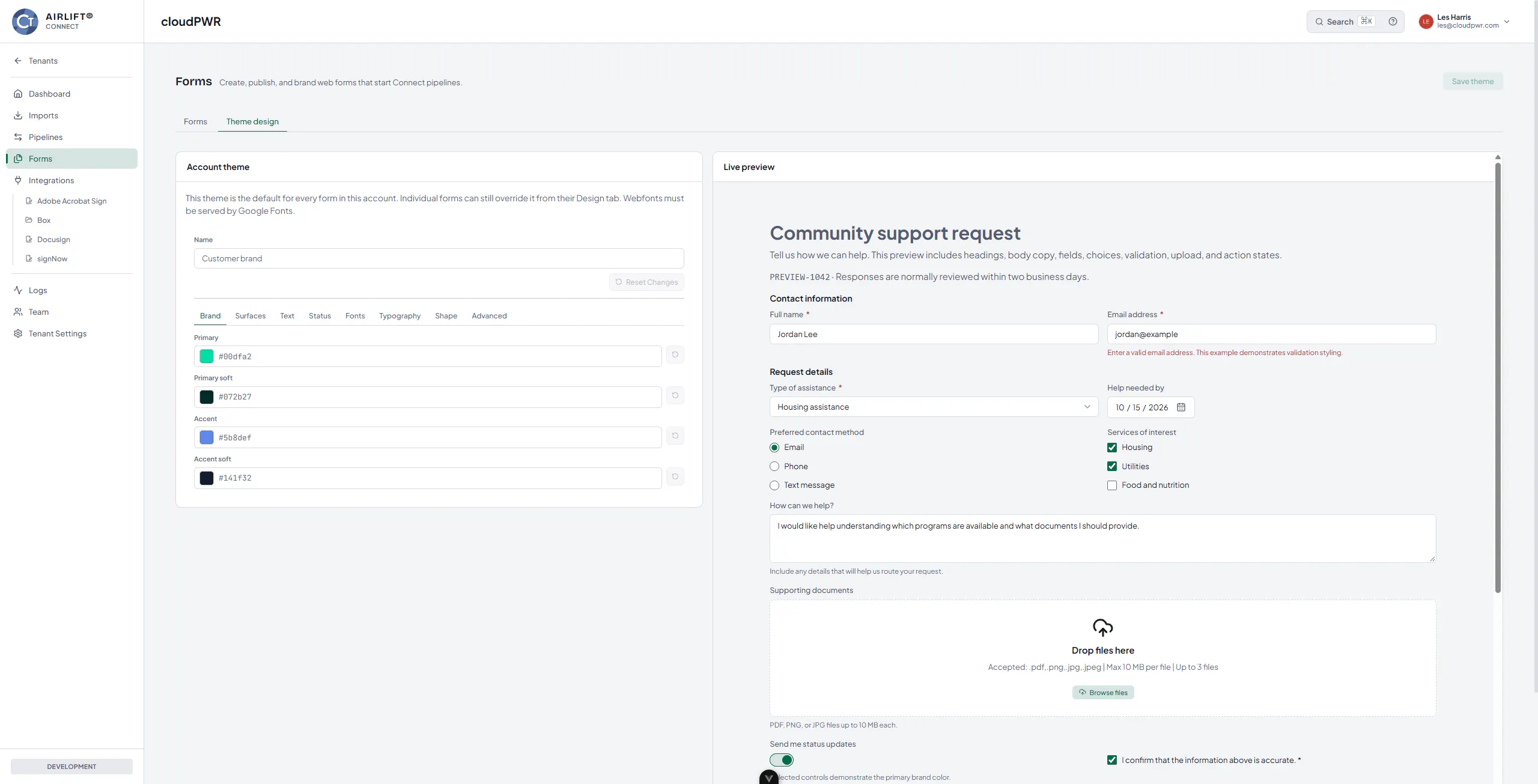
Public intake represents your agency, so it should look like your agency. Set reusable colors, typography, and design details as an account theme, then adjust individual forms when a particular intake needs its own treatment.
A published revision stays exactly as you published it until you deliberately publish again. You can edit a draft all week while your live form keeps running untouched.
Meet People Where the Request Already Starts
Once you publish a revision, you choose how people reach it. Install a small HTML snippet to embed the form directly in your existing website, where it follows its rendered height and handles submissions through AIRLIFT Forms with no submission backend on your side. Or share the stable public link in an email, a customer portal, a text message, or a QR code on a printed notice.
Either way, respondents need no Connect account and no login.
The Work After Submit
This is where Forms stops being a form. Each accepted response enters every eligible active Connect pipeline assigned to that form, and moves through four stages your team can watch.
Accept validates the response against the published form. Process creates an import for each assigned pipeline, carrying both the response data and a document package containing the JSON response, uploaded files, and any drawn signature images. Deliver runs your configured transforms and sends the result to the pipeline's destinations. Observe tracks the whole thing in the existing Imports view, including delivery status and retry behavior.
Because assignment is per-pipeline, one form can feed several workflows at once, each with its own import and its own timeline. Structured answers and uploaded documents stay together through all of it, with authors controlling accepted file types, file counts, and upload sizes per field.
See It With Your Own Intake
AIRLIFT Forms is available now as a licensed capability for AIRLIFT Connect accounts. The most useful demo isn't ours, it's yours: bring an application or request your agency handles today, and we'll walk through building it, branding it, publishing it, and watching a real submission land in a Connect pipeline. Talk to cloudPWR about licensing, account enablement, and rollout.